
M3U & Xtream Codes
Add your own authorized M3U URLs or Xtream Codes account, with an optional EPG source.
Features
From your first playlist to multiview and local recording: explore the full feature collection, with the details that matter.
MAKE WATCHING FEEL BETTER
Current premium features and purchase options are shown inside the app and in the relevant store. Premium provides app features; it is not a content subscription.
TVy / 01
Add your own authorized M3U URLs or Xtream Codes account, with an optional EPG source.
Add, edit, rename, reorder, refresh and switch between saved playlists; each keeps its own viewing data.
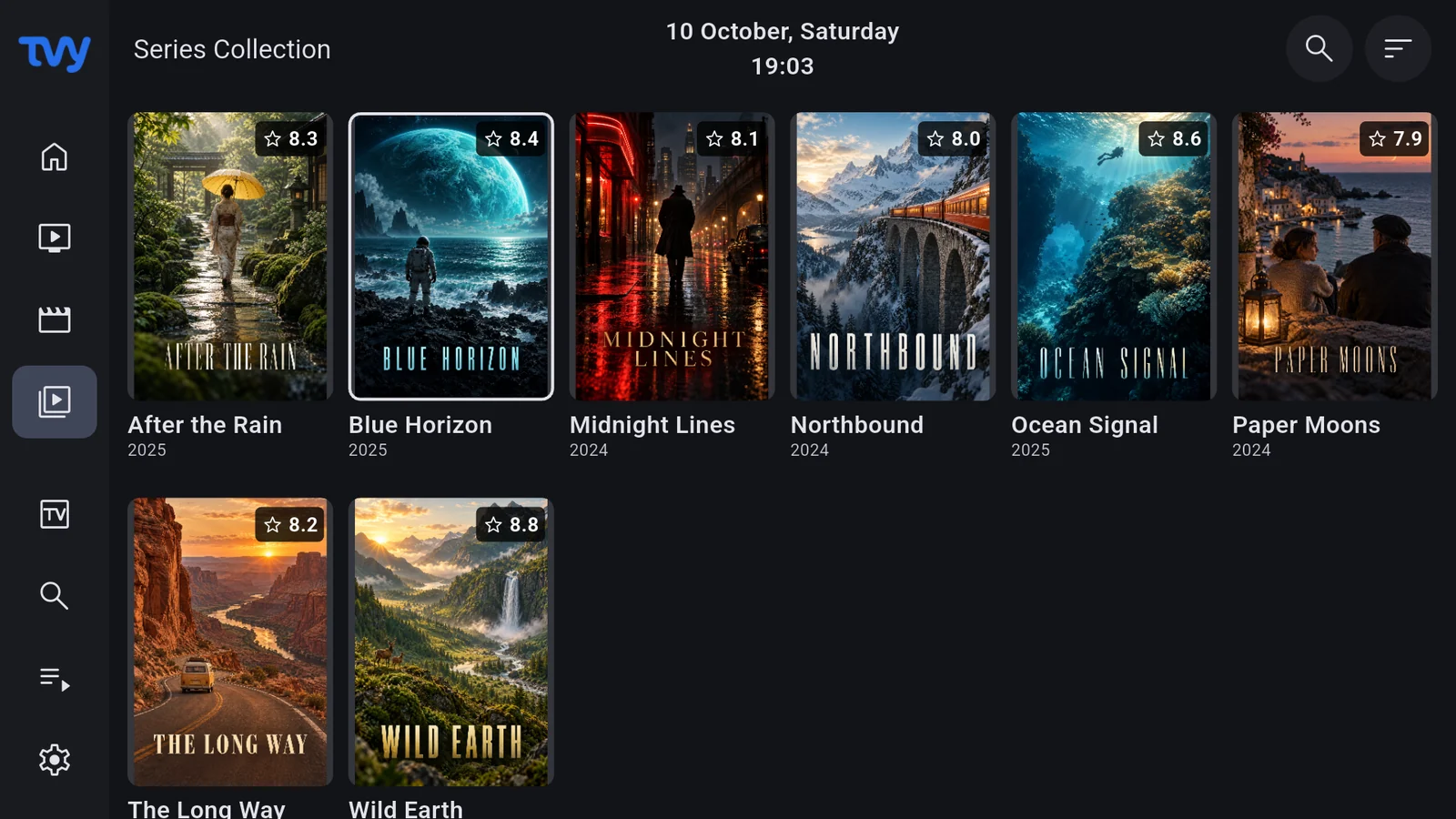
Explore live TV, movies, series, favorites and recent items from your playlists together in one Premium catalog.
Playlist access credentials use secure device storage. TVy is a player for sources you are authorized to use.
Export and import .tvybackup files through supported file pickers; retain playlists and included preferences, not recorded media.
TVy / 02
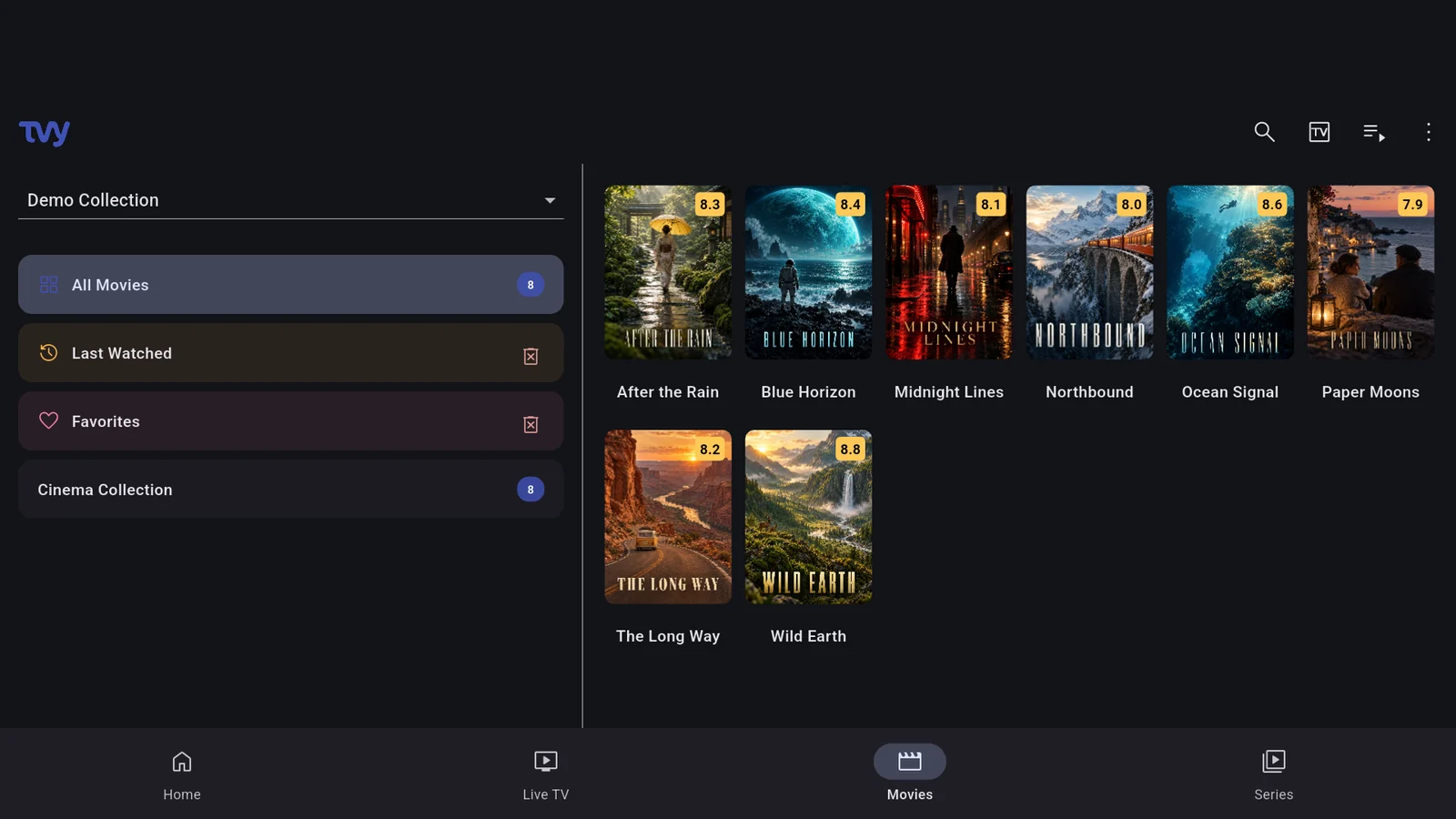
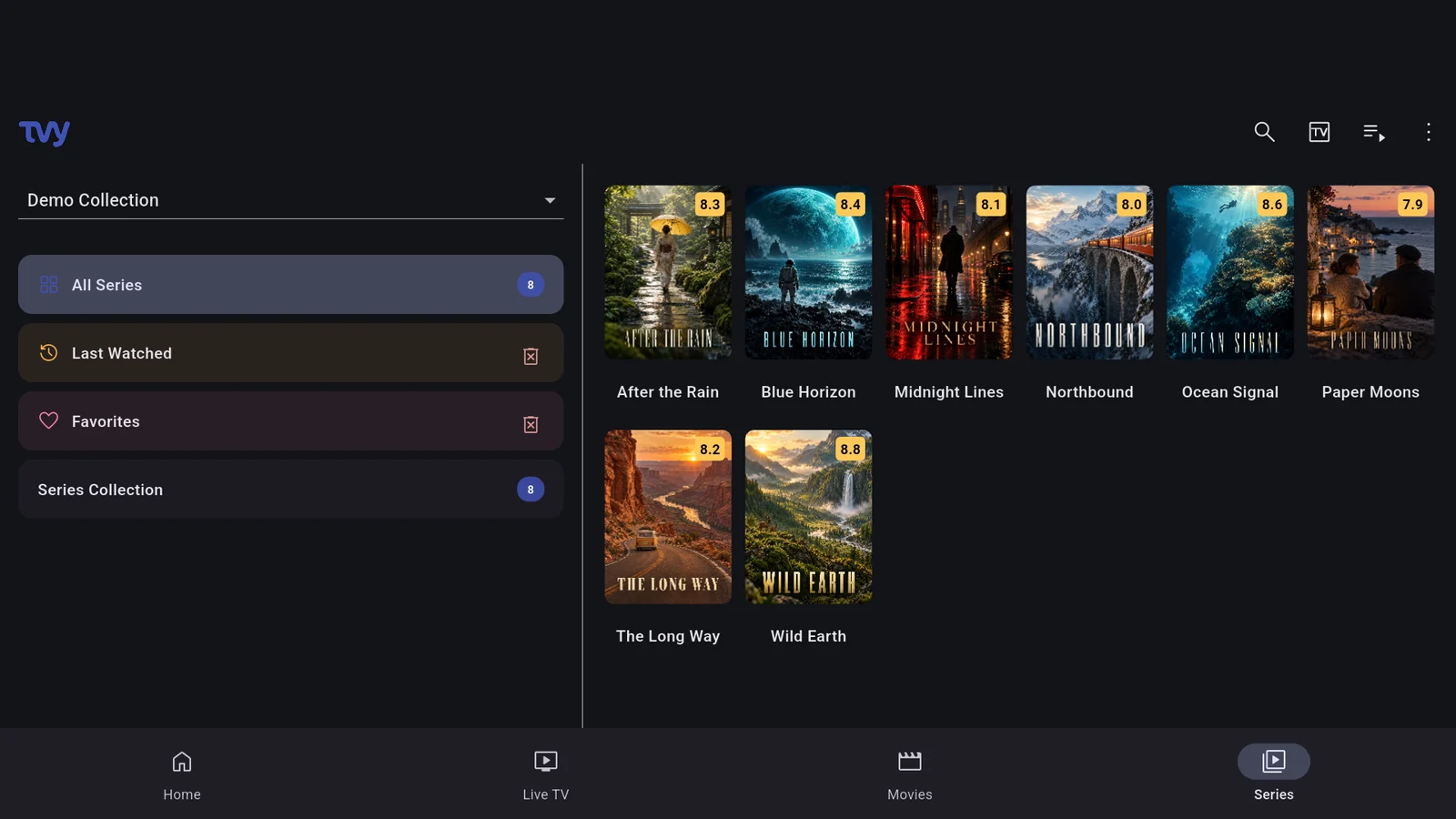
Dedicated catalogs, channel groups, categories and paged browsing keep large collections manageable.
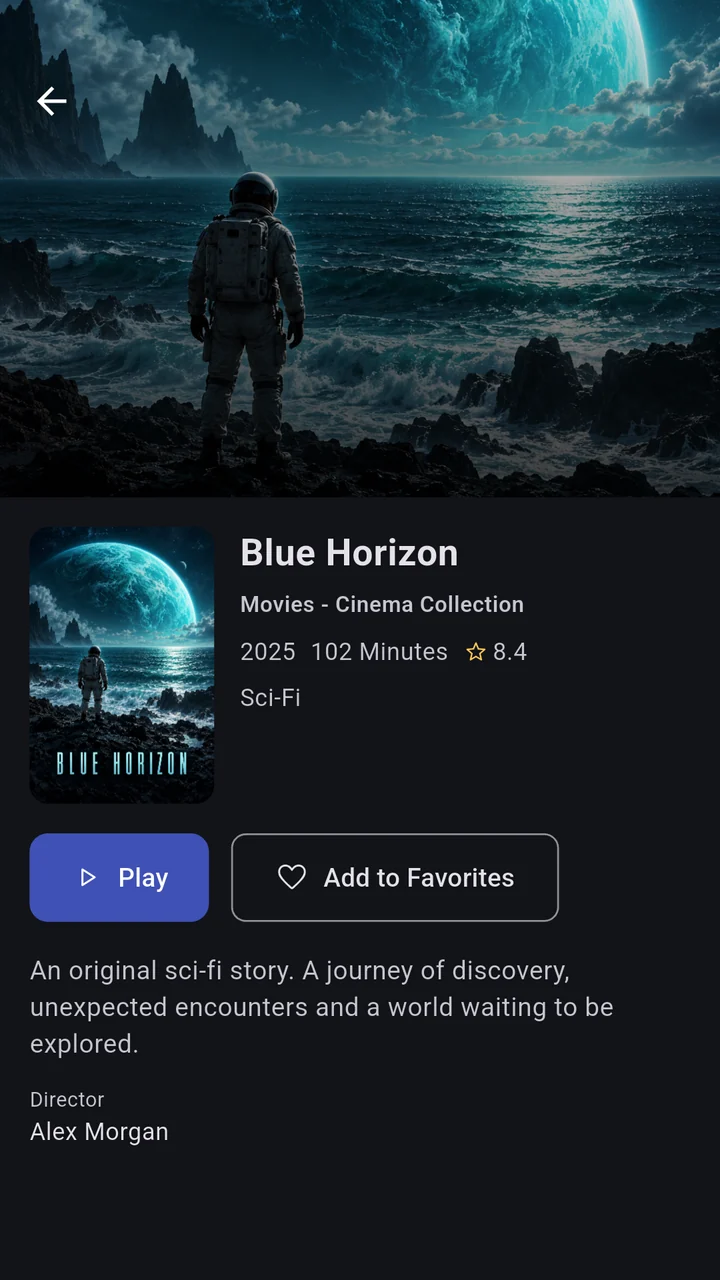
TMDb artwork, summaries and metadata make exploring your own movie and series collection easier.
Search across your collection with category-aware results and indexed catalog lookup.
Short voice searches on Android and iOS; Windows uses an installed speech recognizer. Linux currently uses typed search.
Keep favorite channels, movies and series nearby and return to recently watched items.
Resume movies and episodes from saved progress, or choose to restart the selected movie or episode.
Browse seasons and episodes, track progress and move to the next available episode in the playlist.
Create and rename groups, reorder channels and copy or move memberships. Global groups organize All Playlists too.
Enable, hide and reorder home collection rows to shape your own starting screen.
TVy / 03
Add XMLTV sources, refresh schedules and combine guide data; source priority and extended settings offer Premium options.
Assign an EPG channel manually and adjust guide time offsets when your provider's data needs alignment.
Browse channels against time, change groups and days, search programmes and jump back to Now.
Set reminders with local notifications. Permissions and background delivery depend on the operating system; Linux needs the app running.
Revisit past programmes when your provider offers catch-up and includes the required programme and stream data.
TVy / 04
Phone
Summaries, artwork and movie details make choosing what to watch part of the experience.
Content shown is illustrative. TVy does not provide channels, movies or subscriptions.
Choose available audio, subtitle and video tracks and remember preferred audio and subtitle languages.
Adjust text size, color, background, edge style, position and subtitle delay on supported playback paths.
Adjust playback speed and picture fit, seek through on-demand content and restart a movie or episode.
Choose quality policies and available renditions, with device preferences respected when the source supports them.
Pick live or on-demand buffer/latency profiles to suit your connection and viewing preferences.
Correct audio timing and choose Auto, surround preferred or stereo. Actual output depends on device and source capabilities.
Match display refresh rate and inspect HDR format information where supported; capabilities vary by screen, system and source.
Use supported PiP modes or open a stream in an installed compatible player. Availability depends on the platform.
Chromecast on Android/iOS mobile; DLNA on compatible mobile and desktop setups. Android TV does not offer the casting control surface.
Adjacent-channel preparation considers provider connection limits; controlled retries and decoder fallback help recover playback.
Touch controls, TV remote navigation, desktop fullscreen and adaptive video/info panels fit different screen shapes.
TVy / 05
Pause, rewind and resume compatible live sources with a rolling local buffer. Requires supported unencrypted MPEG-TS/HLS sources.
Record compatible live sources locally while respecting provider connection limits and available storage. Not an offline movie-download feature.
Schedule programmes with start/end padding. iOS needs the app in the foreground; desktop needs it running; Android needs the relevant permissions.
Browse local recordings, play or delete them, and manage quotas. Capture supports compatible clear TS/HLS, not every playable source.
TVy / 06
Follow multiple live streams together. Two/four-view availability depends on decoder capacity, memory and provider connection limits.
Select the stream you want to hear; resource and background-quality controls manage the remaining views.
TVy / 07
Choose light, dark or system theme and accent colors; adjust overlay duration, scrolling titles and mobile volume/brightness controls.
English, Turkish, Spanish, German, French, Italian, Hindi, Chinese, Arabic, Japanese, Korean, Dutch, Portuguese and Russian.
Manage your TVy account, confirm email, reset your password with an email code and request account deletion inside the app.
View account devices, rename them and remotely sign out a selected device.
Purchase on Android/iOS and restore verified rights. Linux/Windows use account entitlements; Premium does not include content subscriptions.
Clear favorites and viewing history, manage catalog cache and configure available retention/refresh preferences.
TVy has no advertising SDK or ad runtime. Error reporting filters sensitive fields before sending diagnostics.
On Android TV, assign supported short/long key presses to player, guide and catalog actions, and reset mappings when needed.